Kontakt 4.2 Support is one of the many features and fixes in the new Translator update 5.9.0.102 (Mac), 2.9.0.132 (Windows).
Native Instruments changed the Kontakt file format in version 4.2 so we've spent some time getting that implemented. Now, you can convert in and out of Kontakt 4.2 files, and also Fix and Replace References too!
 We have put in more SFZ support, with the new CamelAudio Alchemy Free player (which plays SFZ) coming out. You specify how the SFZ file is written out textually, plus we offer full Group support and organization. We have put in more SFZ support, with the new CamelAudio Alchemy Free player (which plays SFZ) coming out. You specify how the SFZ file is written out textually, plus we offer full Group support and organization.
On Mac, we have added to our Akai MPC support, and also we've made possible the renaming, inserting, and deleting of any file on any proprietary disk (Akai, Emu, etc.) Improved Bank support is included, with the ability to convert INTO Banks such as SoundFonts and Emu banks.
For registered Translator users, upgrade by simply starting your Translator program - it will tell you if there is an update available and allow you to download it. Or, go to the Update Area URL that is listed in your manual and download the update there.
Our Motif Creator™ program has been a big hit among Yamaha Motif users. It enables full construction of sampled Motif banks on your computer - quickly, easily, and safely.
So we are making it available to all popular workstation keyboards: Kurzweil, Roland Fantom, Korg Triton/M3, and the Alesis Fusion. They all use the same interface and functionality, they just work for that specific workstation keyboard.
Creators are excellent for taking your studio-produced software Instruments  and taking them out on the road with you. Creator's use the proven Chicken Systems's Conversion Engine that powers Translator, and mapping technology based on Chicken System's Constructor™, and you can drag and drop any format into Creator and have it instantly appear as a Patch! You can also start with an empty Patch, add some samples to it and map them out on the graphical keyboard, and you have a custom split keyboard with the sounds exactly where you expect. and taking them out on the road with you. Creator's use the proven Chicken Systems's Conversion Engine that powers Translator, and mapping technology based on Chicken System's Constructor™, and you can drag and drop any format into Creator and have it instantly appear as a Patch! You can also start with an empty Patch, add some samples to it and map them out on the graphical keyboard, and you have a custom split keyboard with the sounds exactly where you expect.
So when you have a gig coming up, simply open a Creator Document, which represents a Bank, start dropping in your programs and samples, and you can even use ROM patches to put into the correct places. All this takes you 5-10 minutes, depending on the complexity. When you are done, simply write the Bank out as a file, then load into your Workstation. Now you are ready for that gig.
Motif Creator has been shipping since last year, and the other Creators are due out early summer. If you want a early look at Creator, download the Motif Creator demo and trying making some banks there (you don't need a Motif). You'll get a good idea how it works.
 |
Video Available
For a demonstration video of Motif Creator: |
 |
There also will be movies up all next week (before Memorial Day) at the Chicken System's Movie Site. Keep watching for more information.

Bank Files are files that hold multiple instruments. Good examples are SoundFont and GigaStudio.  Other examples are most Workstation formats (Kurzweil, lMotif, Fantom). Emu uses banks (Emulator 4, 3, Emulator X). Even Kontakt has the concept of Bank Files - two of them: the Multi .nkm and the Bank .nkb. Other examples are most Workstation formats (Kurzweil, lMotif, Fantom). Emu uses banks (Emulator 4, 3, Emulator X). Even Kontakt has the concept of Bank Files - two of them: the Multi .nkm and the Bank .nkb.
The purpose of Bank Files is to simulate the entire user memory of a hardware sampler or software sampler.
So if you have 7-10 or more single Programs/Patches, and you want to convert them into a Bank format, you don't want 7-10 banks being created, you want one file. Or perhaps you have a Bank file already and you want to insert that Instrument into that.
Translator can help you - simply take the Instrument(s) you want to convert and put them on the right pane of Translator (the Object List). Drag them from the right and drop it on the left pane (the Container Pane), onto the Bank file in question. Translator will convert it and rewrite the Bank file with your new stuff included.
|
Video Available
For a demonstration video of the above explanation: |
|

On The Road To Version 6
All the things you are seeing in development are the features that will 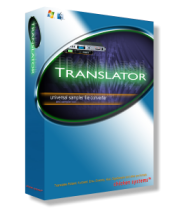 go into Translator version 6, scheduled for release before the end of the year. Version 6 won't be this sudden thing, but one day we'll "flip the switch" and it will be version 6. go into Translator version 6, scheduled for release before the end of the year. Version 6 won't be this sudden thing, but one day we'll "flip the switch" and it will be version 6.
Latest in Support for Kontakt, EXS24, SFZ, SoundFont, Legacy Hardware Samplers
Translator is by far the best and most strenuously supported conversion product on the marker. New builds come out about once a month, and we are constantly improving the internal conversion engine. When there's a new format, or a new version (like Kontakt 4.2) we are there with an update. There just isn't any better conversion product.
What's "ALT"?
Some of you have noticed on Windows this NEW Translator™ that's installed along with your normal Translator installation or update. This is Translator™ ALT; ALT standing for Alternative. But in fact it's no Alternative. This is a pre-release of Translator™ version 6 for Windows. When Version 6 is deemed worthy, the official Translator™ 2.9 will become version 3 and not given full code support any longer. Translator™ ALT is future of Translator Windows, and is the same code base as Translator™ Mac. Our work on Translator™ Mac over the last 2 years has been so powerful and substantial that we are replacing the existing Translator with this new one. (Don't worry, you can still use Translator™ version 3.) Check it out if you're interested.
By the way, Translator™ version 6 will be a FREE upgrade! Top that!

| Don't forget our other products - still going strong! |
 Constructor Constructor |
 Instrument Manager Instrument Manager |
 Kontakt Assistant Kontakt Assistant |
 SamplerTools SamplerTools |
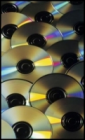 
Product CD's have been going out steadily all year. We have been getting some small shipments in and sending them out to various people who request them, as well as current orders and distribution.
The full pressing for Translator™ will be when version 6 comes out. Other products, such as Constructor, MV Kit Creator, Kontakt Assistant, and Instrument Manager will follow shortly. SamplerTools will be pressed when the interface is completed.
For more info, click below at the CD Status link.
 
We are very committed to product videos! These will include full tutorials and clear descriptions of all Chicken Systems products, including Constructor™, Instrument Manager™, Kontakt Assistant™, and our entire Creator series.
We've only just started - see www.chickensys.com/movies for our initial ones.
We're here to help! If you have any questions, don't hesitate to email us at [email protected], or call 800-877-6377 or 320-235-9798 to speak with an engineer, or Chat at our link at www.chickensys.com. We'd be happy to talk with you and answer your questions and help in any way possible. |