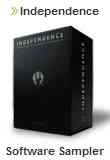
August 24th, 2007 -A new less-talked-about but highly powerful software sampler is Yellow Tools Independence. One of the few truly modular samplers, Independence uses a powerful modulation matrix and excellent sample handling facilities.
Translator™ exclusively can convert into this powerful format.
This is taken from Yellow Tools literature.
Independence's modules are the core of the yellow tools A.I.T.
In this area many features for professional sound manipulation are available. The settings you do here affect the selected layer or its Alternates/Sections.
Using the Content Browser all Alternates and Sections of a layer clearly get listed and can get edited related to the layer as well as individually.
| Default View / Content Browser |
With Independence's clearly arranged multi-page Modules editor you have always the best possible overview of your available settings (Default View) and currently loaded and selected Layers, Sections and Alternates (Content Browser). You can easily switch between the different pages with the button in the upper right corner and your screens on the left side of Independence will change accordingly:
Default View:
|
| Flexible Modifier |
Flexible manipulation of instruments and sounds is one of the most outstanding features of Independence. Using the "Flexible Modifiers" you can connect any source to any destination.
You can use this feature to customize and manipulate your instruments as well as to simplify and automate your work.
One of the most outstanding features of the Flexible Modifiers is the possibility of any number of "multiple assignments": Using only one controller (e.g. your keyboard, MIDI controller or also host automation) and only one movement, you can change as many as desired parameters at the same time - e.g. volume, filter Cuttoff and panorama!!!
Independence supports even different controller ranges (min. and max. values) and individual envelope settings per parameter as well as opposite changes of value (invert). Of course you can also extend each single parameter of the multiply assigned Modifiers with further Modifiers individually at any time.
| External Sources: |
- Fix value
- Velocity
- Rel. Velocity
- Random
- Pitchbend
- Modwheel
- Mono Aftertouch
- Poly Aftertouch
- MIDI automation
- HOST automation
- Key Position
- Key Distance
- Key Up
- Key Down
|
 |
| Internal Modulators |
- Tempo-synchronized LFOs (sinus, triangle, square, saw, random)
- AHDSR Envelope
- Free Envelope Unipolar (tempo synchronized) with an unlimited number of markers
- Free Envelope Bipolar (tempo synchroinzed) with an unlimited number of markers
- Step Modulator Unipolar (tempo synchronized) up to 128 steps
- Step Modulator Bipolar (tempo synchronized) up to 128 steps
- Glide/Portamento
- Arpeggiator (tempo synchronized)
- Step Sequencer (tempo synchronized) up to 64 steps
|
|
| Intsert Filters and Effects |
You can add over 30 professional filters and effects in the mixer per track as well as in the Modules area per Layer, Alternate and Section.
You can get detailled information on all Independence filters and effect with a click on the "insert effects" link in the right navigation bar.
|
Beside the standard parameters like volume, pan, pitch, delay and skip (sample start), the modules area offers much more extensive manipulation and modulation options. These are amongst others:
| Unlimited Custom Channels |
One of the many Independence features for fast and flexible adjustment and editing of single parts of a loaded instrument.
If you select only the snare drum out of a loaded drum kit layer and create a new "Custom Channel" (internal, virtual channels) with this Section, for example, you now can individually adjust and customize the character of the snare without manipulating the entire drum kit layer - changing the room, EQs or compression of the snare, for example.
|
| Unlimited BUS Channels |
In Independence you can assign an unlimited number of BUS sends (existing as well as new BUS sends) to each Layer, Alternate or Section. This feature offers a so far unachieved flexibility in the manipulation of single parts or even complete instruments. So you can adjust all your instruments to fit to each other in just a few seconds - without switching from Independence to your host application.
|
| absolute and relative Volume AHDSR |
For the first time ever Independence offers a volume AHDSR curve which can be use absolute as well as relative!
If the "absolute" mode is activated, the global AHDSR settings of a layer get ignored and only the entered values for the Alternates and/or Sections apply. Working in the "relative" mode, the global AHDSR settings of the layer do not get ignored and the individual entried for Alternates and/or Sections get added to these values - individualisation for highest demands!
|
| Filter |
For any kind of manipulation of your instruments, Independence offers high quality 2,4 and 6-pole filter sections.
|
- 2-pole lowpass (12dB)
- 2-pole highpass (12dB)
- 2-pole bandpass (12dB)
- 4-pole lowpass (24dB)
- 4-pole highpass (24dB)
- 4-pole bandpass (24dB)
- 6-pole lowpass (36dB)
- 6-pole highpass (36dB)
- 6-pole bandpass (36dB)
|
| Extended KeySwitch |
Beside the standard keyswitch between several Layers Independence also contains a "layer-internal" keyswitch. So you can switch not only between whole layers but also inside a layer between different playing styles, for example.
|
For a full list of features, click here.
|