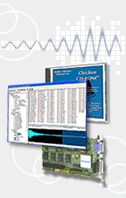
View Instument Contents
By clicking on the Instrument entry, you can see what samples and scripts are used, what Groups are used and what they are named, and other relevant facts about the Instrument. Search your list and narrow it down with specified criteria.
Keywords
Apply keywords to your Instruments, enabling easy customizable searching.
Edit the contents of any Kontakt object
Although Kontakt Assistant isn't a realtime editor of Kontakt Instrument like Kontakt itself (what could be?), you can view the structure and parameters of a Kontakt Instrument
Edit One or Many
Apply GPC#1 (MIDI CC 16) to Attack and GPC#2 (MIDI CC 17) to release on 10 Instruments with one click. Or put your URL and Author field on all Instruments.
Update Instruments with new Sample Information
Perhaps you want to edit a bunch of samples at a time in your sample editor to get things absolutely perfect. Use Kontakt Assistant to update all the Instruments that use those samples, instead of guessing.
Super Browser
Kontakt Assistant's Browser allows quick filterable queries to show in a small floating dialog, and you can drag these off the dialog directly into Kontakt.
View Samples, and see which Instruments use them
True referencing in reverse! Find out which Instruments use which samples.
Sample Reference Manager
Quickly see if your Instruments reference samples correctly, and if they reference the samples YOU WANT THEM TO REFERENCE. Swap new samples back and forth at will. Rename samples and update their links simultaneously.
Script Librarian
Put all your Scripts in text files, and apply them to Kontakt files in bulk or singly. By organizaing your Script files, you know what you have and can apply them at any time.
Modulator Librarian
Enables you to store your favorite Modulation schemes and apply them to one or more Instruments at a time. You can populate the special Kontakt folders that list the Presets (LFO, Envelopes, other).
In summary, Kontakt Assistant™ includes these additonal powerful features:
- View All Kontakt Instruments, Multis, and Banks on your system or in a folder
- Use User Database or look on the fly inside a folder tree
- Search your list and narrow down list to specified criteria
- Use Keywords to groups your Instruments into Categories
- All operations can be done on a Single or Bulk basis
- View and edit the contents of any Kontakt object
- Update Instruments with new Sample Loop, length, or loop information
- Edit one, some, or all your Kontakt files to incorporate your own tastes and titles
- Use the floating-window as your browser and load Instruments directly into Kontakt
- View Samples used by Kontakt Instruments and see what Instruments reference them
- Fix bad sample references
- Link samples to new groups of samples
- Rename samples via references
- Script Librarian makes organizing your scripts a breeze; load one or more Scripts to one or more Kontakt Instruments
- Modulator Librarian enables you to store your favorite Modulation schemes and apply them to one or more Instruments at a time
To ask any questions, please visit the Kontakt Assistant™ Forum (sponsored by SamplerZone).
PLEASE NOTE! Kontakt Assistant™ is not shipping as yet, and we do not take pre-orders.
For more information on the features of Kontakt Assistant™, please visit: http://www.chickensys.com/products/sw_iteminfo.php?sw_name=Kontakt+Assistant
|