
|
SimpleTranslation™ Preferences |
These options are for the SimpleTranslation™ feature, where you aren't opening Translator per se, but just dropping a file on the icon.
Use automatic settings
If checked, Translator won't even prompt you; it'll just make the conversion based on these settings.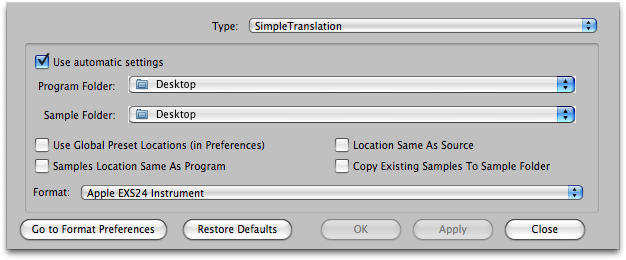
Default: Checked
Program Folder / Sample Folder
This is the Program Folder and Sample Folders where the newly converted files will go.
Use Global Preset Locations (in Preferences -Destination Locations)
The Program/Sample Folders will be lifted on a format-by-format basis from the Preferences-Destination Locations settings.
Default: Unchecked
Samples Location sample as Program
Sets the samples folder to same location as the program folder.
Default: Unchecked
Location Same As Source
The Program and Sample folders will be the same folder as what the source is.
Default: Unchecked
Format:
This is format the incoming source will be converted to.