
|
Favorites |
Favorites are contained in a special section in the Container Pane. It is a section you populate yourself with commonly-used folders, or folders you want quick access to. Very handy!
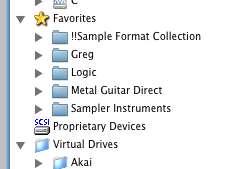
Add a Favorite by selecting the folder or file in the Container Pane or the Object List, right-clicking on it, and selecting Add To Favorites. Or you can add one by selecting Add To Favorites under the Operations top-level menu and choosing it from the Open dialog. Or drag a folder/file from an external source and drop it on the Favorites icon in the Container Pane. In all cases, it will automatically be added to the Favorites List in the Container Pane.
You can remove a Favorite by selecting the Favorite in the Container Pane and right-clicking on it, and selecting Remove From Favorites.
You can also add files or folders to your Favorites menu by creating aliases/shortcuts of those folders and putting them into your Favorites folder, which is located here:
| Mac | ~/Library/Application Support/Chicken Systems/Translator 7/Favorites |
| Modern Windows | C:\Users\[you]\AppData\Roaming\Chicken Systems\Translator 7\Favorites |
| Windows XP (Translator 6 only) | C:\Documents and Settings\[you]\Application Data\Chicken Systems\Translator 6\Favorites |
This is how the Add To Favorites works behind the scenes.