|
Sample View |
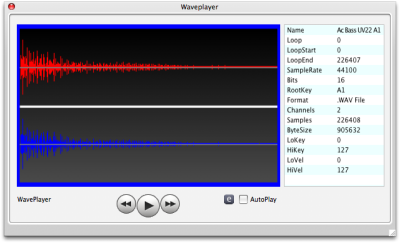
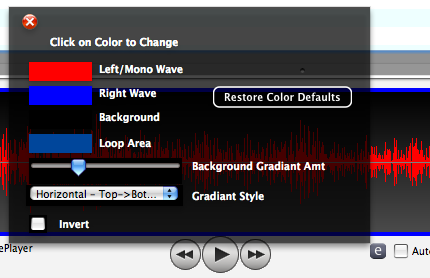
The Sample View displays a waveform and allows playback, including the proper looping that may be programmed into the sound. The waveform appears by selecting a sample in the Object List. There is an information box that lists all the pertinent information concerning the sample (regardless where it comes from) on the right. Loop areas (defined by the numLoops, Loop Start, and Loop End parameters) and Playback areas (defined by the Start and End parameters) are are displayed using box outlines on the screen. The regular set of transport controls is shown below the waveform screen. A checkbox called AutoPlay allows the player to play back a sample when it is selected. You can also unconditionally turn off loop playback by selecting the No Loop checkbox. The e button shows you the properties of the Sample View. You can choose the color of each facet of the view, plus the gradient of the background. This screen can be detached from the main window by clicking the Detach button above the right-pane. See Docking Dialogs for more information. A special note concerning SampleView docking: Since it is usually located at the bottom of the Main Screen, you need to select it in the right-pane, which moves it up to the right-pane. Then you detach it; thus it is invisible in TWO places on the Main Screen. Reattaching it puts it back to the right-pane, where when you click off of it, it puts it back to the bottom of the Main Screen. |
|