
|
Stereo Management Preferences |
Combine Dual Mono to Stereo - Combine Unconditionally
A source format may use two mono files to represent one stereo file. Checking this option allows Translator to check a possible stereo pair and possibly combine them into one stereo file, if the destination supports it.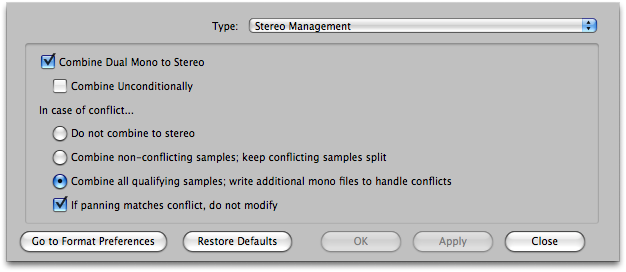
In checking a possible stereo pair, Translator generally checks to see if these files are the same length and have the same playback mode in order to determine if they should be combined. If Combine Unconditionally is checked, Translator will combine them no matter what.
Combine Dual Mono Stereo Default: Checked
Combine Unconditionally Default: Unchecked
In case of conflict...
If panning matches conflict, do not modify
Translator also checks in the program it is converting if the dual-mono samples are split hard-left and hard-right (that affects how "stereo" it is). If this option is checked, than the dual-mono samples are not combined if panning is not hard-left/right.
Default: Unchecked