
|
Recycle Preferences |
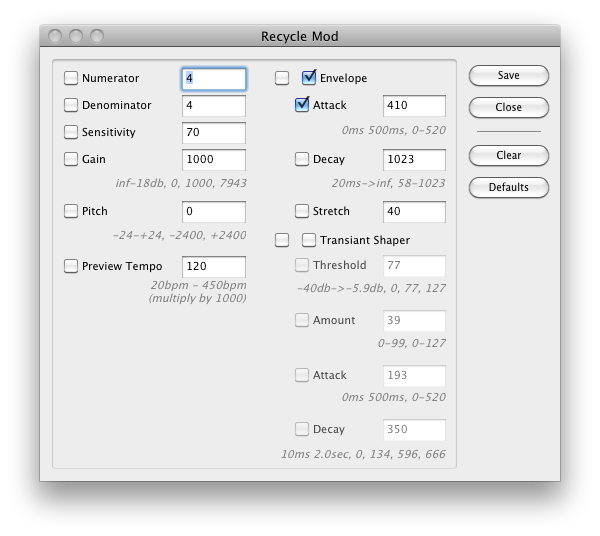
Recycle Export
When converting into a non-Slice Instrument format, you keep the sample as-is (and separate via Sample Start and Sample End windows), or you can separate the slices, or both.
Use Single Piece of data and split using Start/End markers
When converting into a non-Slice Instrument format, you keep the sample as-is and separate via Sample Start and Sample End windows.
Export Style
Translator has very advanced and researched methods in converting Recycle files. There are two methods we use, one based on the Preview system that the Recycle application uses, or we can use the Slice method that most other applications use to extract the slices. What style you use affects certain other factors, like if you are changing the original tempo, or other things.
LoKey / HiKey
When converting into a non-Slice Instrument format, these options set where the key range starts and ends.
Spread
Dictates where each new separated slice is ranged on the keyboard.
Write MIDI File
When checked, a MIDI file is written also, which you can use to play the split slices back to imitate the original loop.
->Slice File Tempo Change
Conceptually, a Slice File is one set of sample data with markers where the transients are. That recorded tempo is the Original Tempo.Plus, if your Preview is a slower tempo than the original tempo, Recycle actually synthesizes information for you. So, since you can't view a Recycle file's sample data, you can only assume what it exactly is.
Other slice files formats have a permanent set of sample data, in a WAVE or AIFF format. There are times when you may want to have your new non-Recycle slice files at a certain Tempo - they can sound better that way instead of being played faster or slower. This option allows for this; otherwise it simply writes Recycle information in full at the Original Tempo.
Include Tempo in Name
If you are changing the hardcoded tempo (see above), this option has the new tempo added to the name.
 Slice Fade Out
Specifies a user-defined hardcoded fade-out at the end of every slice; this can cut down on clicks.
End Fade Out
Specifies a user-defined hardcoded fade-out at the end of the entire loop; this can cut down on clicks when the loop is turned around.
Normalize Samples during translation
Since Recycle uses sample slices, many single samples can be less than at a optimum level. Translator will automatically normalize these samples if this is checked.
Recycle Playback Tempo
The Waveplayer actually plays back Recycle files at different tempos; this sets what it will be.
Nudge Factor
Sometimes you might what to slightly "nudge" the transient points in a Recycle file; use this option for that.