|
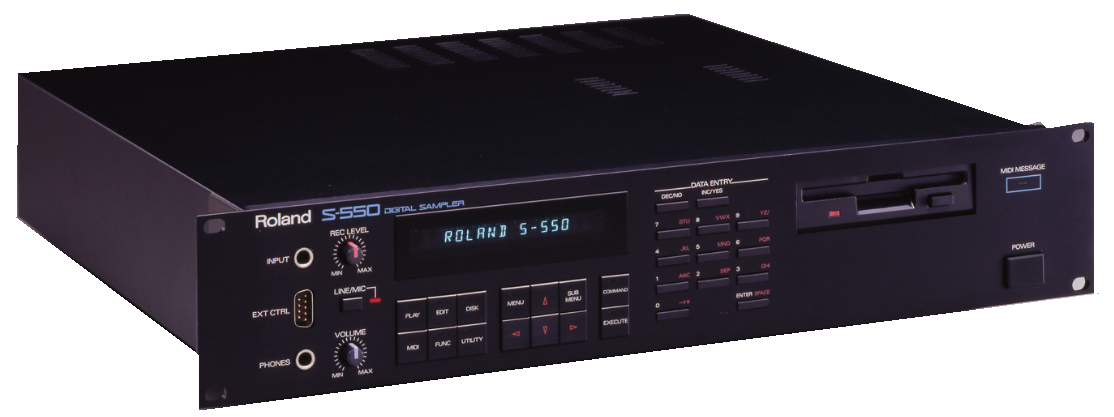
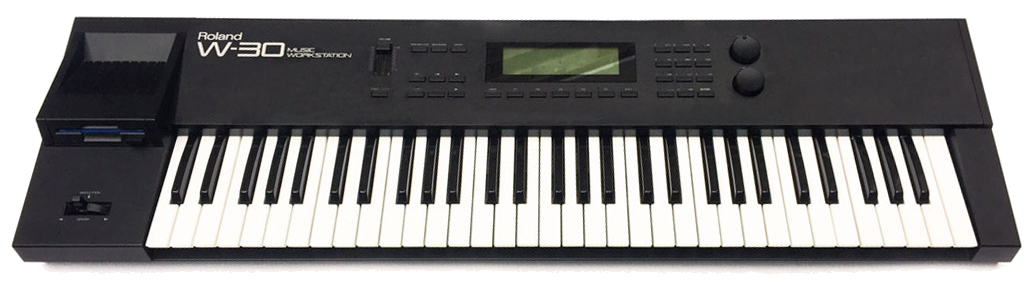
Roland S50 / SS50 / S330 / W30 Floppy Image Information |
|
DS/DD only. 12-bit sample data. (On SCSI drives/images, samples are stored as 16-bit.) The S50 has only 8 Patches whereas the others have 16. (The last 3 "formats" are virtually identical to each other so we'll refer to those as "S550".) There are 32 sample objects which are called Tones, and all Patches have access to any of those Tones. This format, as well as the Mirage, use segments of sound data to assign to themselves. Each Tone can claim [x] segments of 12-bit sample data; each segment is 9216 samples long. (Unlike the Mirage, you can loop on a per-sample basis.) A single DS/DD floppy image handles at most 432000 12-bit samples.
The S550-class machines have 2 sets of memory, so you can kind of think they are the equivalent of two S50's. In Roland parlance, they are called I and II (roman numerals). Each can access 16 Patches and 32 Tones, but they can't share across I and II boundaries, so you can have bigger Banks but not bigger Patches, so to say. Since a single DS/DD floppy holds only one of these "banks", you don't get the benefit of larger Instruments, but if we are translating a Bank, it is possible that two floppy images can be created where some Patches reference some samples while others reference others. Further, past floppy images, a S550-class SCSI drive/image (S50 and S330 are not SCSI), 80mb max, are divided into 64 floppy disk-sized Areas. So the hard drive isn't just a single pool of Patches and Samples, but floppy-disk-sized chunks - although it loads faster than a floppy. Still, though, there's not much memory to fill up, so floppy images are still very effective. The playback sample rate can either be 30k or 15k, so you have a option to downsample to either of those two rates. |
| Floppy Disk Image Format Information Floppy Image Support may not seem very earth-shattering, but it took a lot of innovation to get this right. The largest problem to solve was how to take larger Instruments ad compress them into smaller packages while still having them sound and play the same. Put another way, with software samplers, and also many 1990's-era samplers, you got used to 32mb, 16mb, 8mb, even down to 2mb Instruments. Samplers that rely on floppy images only are smaller than that, typically less than the size of single floppy disk; that is, 512k or 750k or 1mb. The problem isn't just memory, it's also the object count. For example, the Akai S900 only allows 32 samples per program. Even stricter, the Mirage allows only 16. That's the main aim of the technology, which we've dubbed Automatic Instrument Reduction technology (AIR). However, it can be used in larger situations too, such as 2mb samplers like the Ensoniq EPS/EPS 16-PLUS, or even the 8mb max Emulator III and Emax II. Who knows, even the 16mb/32mb - even the 64mb Triton and K2000 - hardware samplers, can benefit. 'AIR' involves eliminating layered sounds via combination, reducing the amount of samples within a keymap, downsampling, and proportional data truncation. It keeps in mind looped and non-looped sounds, and single-key maps. Along with that, we have changed how floppy images are dealt with in the Translator interface. They are no longer required to be the Images folder but can exist anywhere on your hard drive. Translator sees these floppy images - most usually using a IMG extension, but we have included other historical extensions such as EM1 (Emax), OUT (Roland), and EDE/EDA/GKH (Ensoniq EPS), among others. It then figures out what format they are and displays them accordingly. Gotek HFE Files (The exception to HFE is Emulator II images, which still require HFE. For that format, you need to convert the EII IMG files Translator creates into HFE using, again, the HxC Utility.) Channels and Sample Rates Regarding sample rates, perhaps a little explanation can clear things up. When Translator reads a format and gets that information ready for the new format it is translating to, it reads the POSTED sample rate that the sound data, when played back, will have the same pitch as it was recorded with. (We trust that it is correct; we weren't there when the recording took place.) Given that, most vintage samplers are more honest about their capabilities, meaning that they have one or two fixed playback rates. So how do you correctly play back a 44.1k sound on a sampler that plays back only at (say) 27400 Hz? That's what the Coarse Tune and Fine Tune are for - to compensate for that. Those of you that are familiar with Akai samplers in the S1000/3000 know what I am talking about - in the Keygroups you'll see pretty wildly drastic Coarse and FIne Tune values. That's why - the S1000/3000 only plays back at 22050 or 44100 Hz. Many Spectrasonics titles were recorded at 48k, so you will see lots of tuning adjustments of -1.47 semitones - that's the difference between 44.1k and 48k. Translator does the same thing, though it goes a step further. If there is a need to save on memory - which there usually is - it'll downsample the sound to the playback rate (or further down) instead of applying drastic Coarse/Fine tunes. (Although it's the amount of sample reduction that is desired here.) Of course this may affect the loop, if it exists, so Translator will add some loop crossfading to help matters. Translator doesn't have to downsample to the natural playback rate, since it can always set the Coarse/Fine tunes to make up for anything, but it defaults to the natural destination rate because it makes programming clearer and simpler. However, if the natural won't make the incoming Instrument small enough, it might go lower and thus raise the tuning to compensate. Think of "sample rate" as just a tuning parameter. Assume - we have to - that a sound's recorded rate was 44.1k. So, if you have a "true" sample rate parameter that you can adjust (the EPS/ASR is an rare example of this), all you are doing is telling the playback engine to play it faster or slower - that is, it's a tuning parameter. Remember that the INPUT SAMPLE RATE of a sampler is not the same as the OUTPUT SAMPLE RATE, and sometimes it's not exactly clear what a sampler's playback rate is. For example, the Emax samples at 8 selectable rates, from 10k to 44.1k. And that rate is written into the sample header. Back in those days, the manufacturers assumed the only way you'd get sounds into their sampler was to sample with that sampler. So it is assumed that, at least in the Emax's case, that the INPUT and OUTPUT rates are the same, or at least the sampler cheats upon knowing what the input rate was when it was recorded. Lastly, FYI, remember when a sample rate is listed on a hardware sampler, it is usually for information purposes only! There's no better example of this than on the Emulator 4, where the sample rate of each sample is listed in it's full glory. But that's not what is going on behind the scenes - there actually is a Pitch parameter in the sample header data (that you can't touch from the E4's front panel) that defines the actual pitch adjustment as derived from 44.1k - the actual fixed playback rate of the E4. |
|