
|
Editor - Sample |
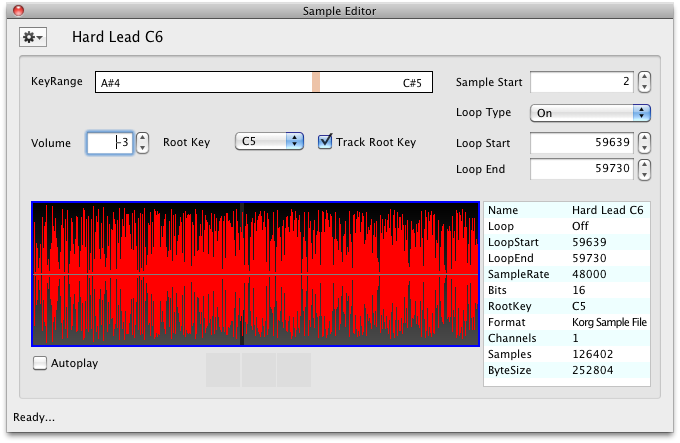 This shows the sample-specific parameters (Tune, Pan, Volume, Ranges, Start/Loop points, etc.) and shows the full Multisample display, where you can audition the sample.
You can edit the KeyRange and Velocity Range parameters here. Please remember that in a Korg Multisample there can not be overlapping ranges, even though this editor will allow you to do so. If there are overlapping samples when you save the Korg file, it will warn you and give you the option to Cancel and repair the overlaps (then resave), or it will automatically repair the overlaps. However, keep in mind that it may make decisions you do not want.
You can "prepare" a Sample here for external editing (see the External Editing topic in this document). You can replace the sample with another one, plus you can edit the sample using an external sample editor. A small but helpful complement of DSP functions is also included.
Please note that until you close the dialog, none of the changes you make are permanent. If you make changes, and try to close the dialog, it will ask you if you want to save your changes. (This can be turned off in Preferences-General.) Also remember that even if you "save" those changes, your Korg Document still can be reverted to its original state.
The are knob widgets to control most of the parameters, and Range Maps to control the Key and Velocity Ranges.