|
Organization - Groups |
Most of use a certain amount of Instruments on a certain song or project. Groups are a simple way to declare "these are the Instruments I used on this project". A Group is a subset of Sound Objects in your Database. A Group has a Name and a set of Notes you can use. A Sound Object can have membership in more then one Group. To create a new Group, you can:
To add a Sound Object or set of Sound Objects to one or more Groups, you can:
To delete a Sound Object or set of Sound Objects from one or more Groups, you can:
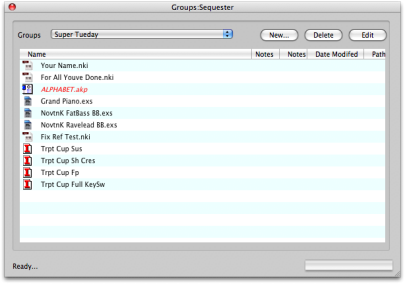
The Groups dialog (shown at the right) allows you to add, delete, edit, and manage the Groups you have assigned to your Database. You can rename your Groups and add Notes to them. |