|
|
|
 |
||
|
|
|
|
||
 |
|
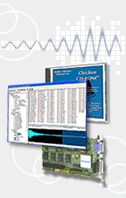
l View the platform independent Sample instrument in any “Skin”. including user-defined ones. The user has full control othe view. l Edit your wavesamples using any external editor, such as Peak™, SoundForge™, CoolEdit™, etc.; or use the onboard basic functions. Constructor™ guarantees the Instrument will synchronized with the samples. l Audition your Sample instrument in full glory, with all the velocity/key splits and basic programming. You can use your computer keyboard, any MIDI source, or the virtual keyboard. l Graphically control your Instrument KeyMap using the sophisticated KeyZone Editor - view in Velocity, Layer, or user-defined modes. l Edit using cool looking editing widgets, or simple text boxes/sliders. “Gang” multiple editing objects. l Script Mapper™ - compose new Instruments in any format using a text file or spreadsheet l Constructor Script Language™ - use scripting to edit your instruments in bulk using easy-to-learn language l Use pre-programmed or user-defined templates for great starting points for your custom Sample instrument. l Add, Combine, Delete, Split any Instrument Object, in any Workspace. l Custom Programming Service - ithere is a special need or function you want, simply apply for it on the Chicken Systems web site and you may receive your request within 24 hours. l Complete documentation; professional printed manual and detailed Help File with context-sensitive functions l Complete Support: phone, email, chat, Internet forum |
|
|
|
||||||||
|
|||||||||||||
|
|||||||||||||
|
© Copyright 2012 Chicken Systems, Inc. All Rights Reserved. | Back to Top 714 5th St. SE, Willmar, MN 56201, USA | [email protected]. |