
|
|
| Constructor� Details |
|
|
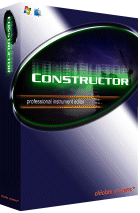 |
Constructor is the premier cross-platform Mac and Windows KeyMapping/Instrument Design tool.
Create your own custom instruments from scratch, or from existing templates, or derive them from existing instruments. You can load from ANY format, save to ANY format, and do it in Macintosh OR Windows.
Here’s how it works: |
- Start from scratch, or load any format (Constructor uses the acclaimed Chicken Systems Translator™ engine) into a platform-independent workspace.
- View this workspace in any “skin” you wish - as the Instrument will look in, say, SoundFont terms, GigaStudio terms, Kontakt terms, HALion terms, EmulatorX terms... anything.
- Now edit your new Instrument, using the wide variety of powerful tools Constructor makes available to you.
- Build your Instrument by importing one or more sample files FROM ANY SOURCE; and this can include whole or partial Programs FROM ANY SOURCE.
- Delete any range.
- Put objects into Groups, to edit them partially or as a whole.
- Edit in proportional terms or absolute terms
- Batch processing, using Macros or Scripts, makes this a sample designer’s dream.
- Listen to the Instrument in full glory as you are editing. Solo or Mute any key range or group. Control your sound via computer keystrokes or via MIDI.
- Launch wavedata out to your favorite sample editor and bring it back.
- When you are done, simply save into ANY FORMAT you desire. You can save into multiple formats automatically, or separate any range into individual parts.
Constructor™ has a staggering array of editing features, such as ganged controls, script-editing, and the ability to edit several Workspaces at once.
|
|
|
|



